
Caching and Saving Data in Jobman Quoting
In this article:
I Have to Click 'Update' Too Many Times When Quoting
My Quotes Are Too Slow When Loading
I Have to Click 'Update' Too Many Times When Quoting
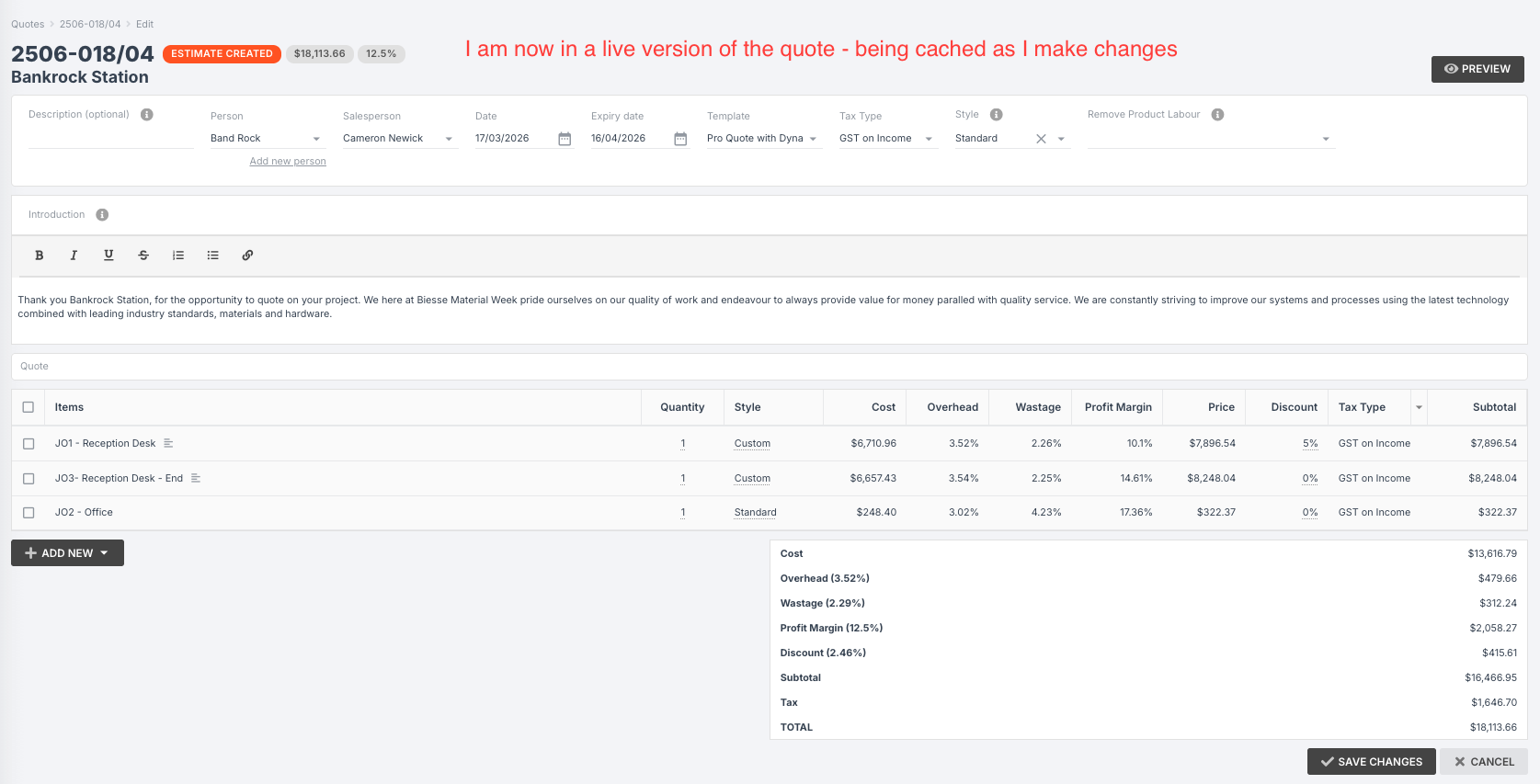
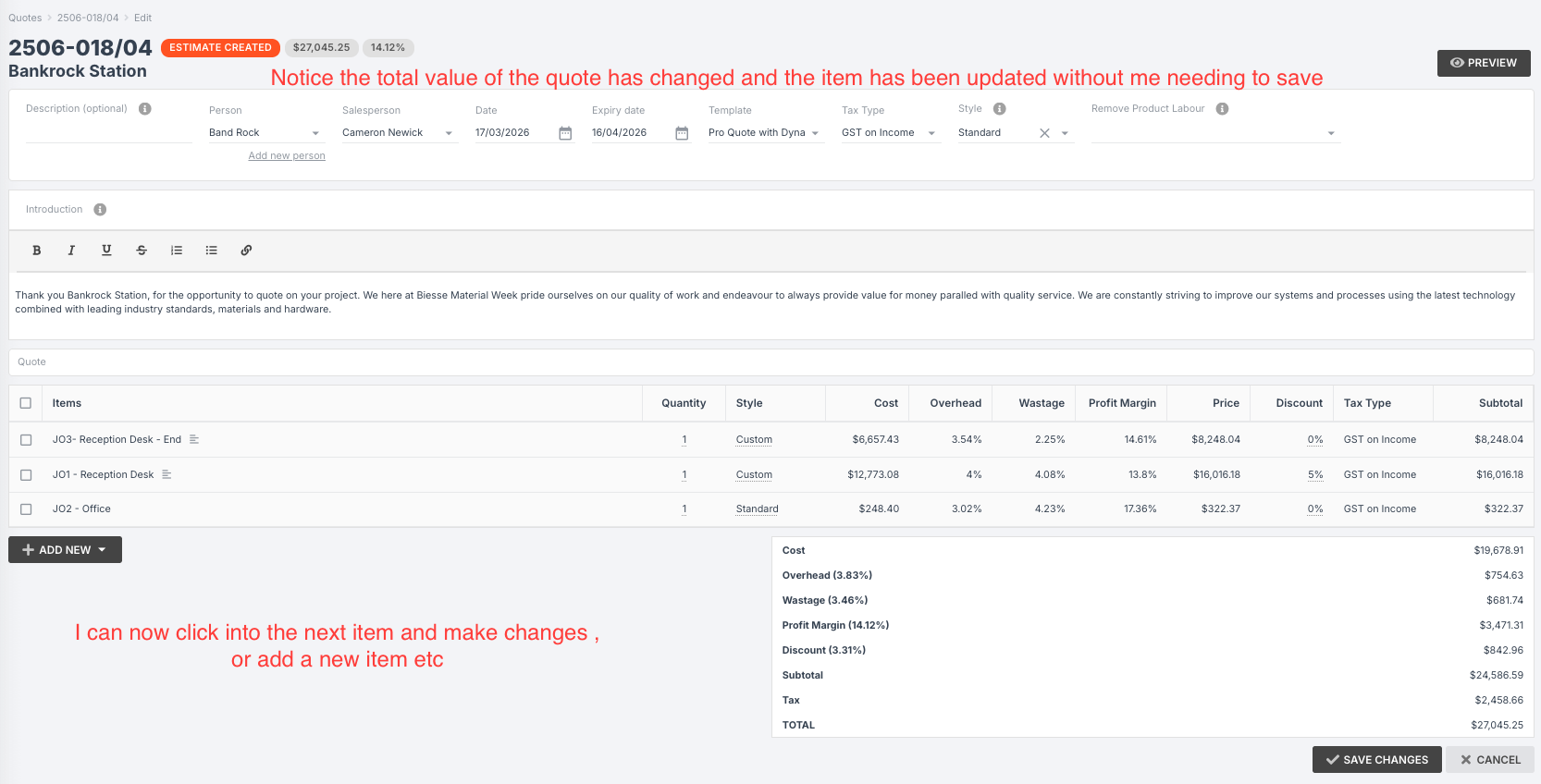
Jobman quoting is cached - meaning, it is designed as a live version of a quote rather than a static database. This solves two problems: a) if your internet gets cut off or you lose navigation, the changes aren't lost, and b) you can navigate and make changes around the quote without having to continously click 'Save Changes'.
Example:
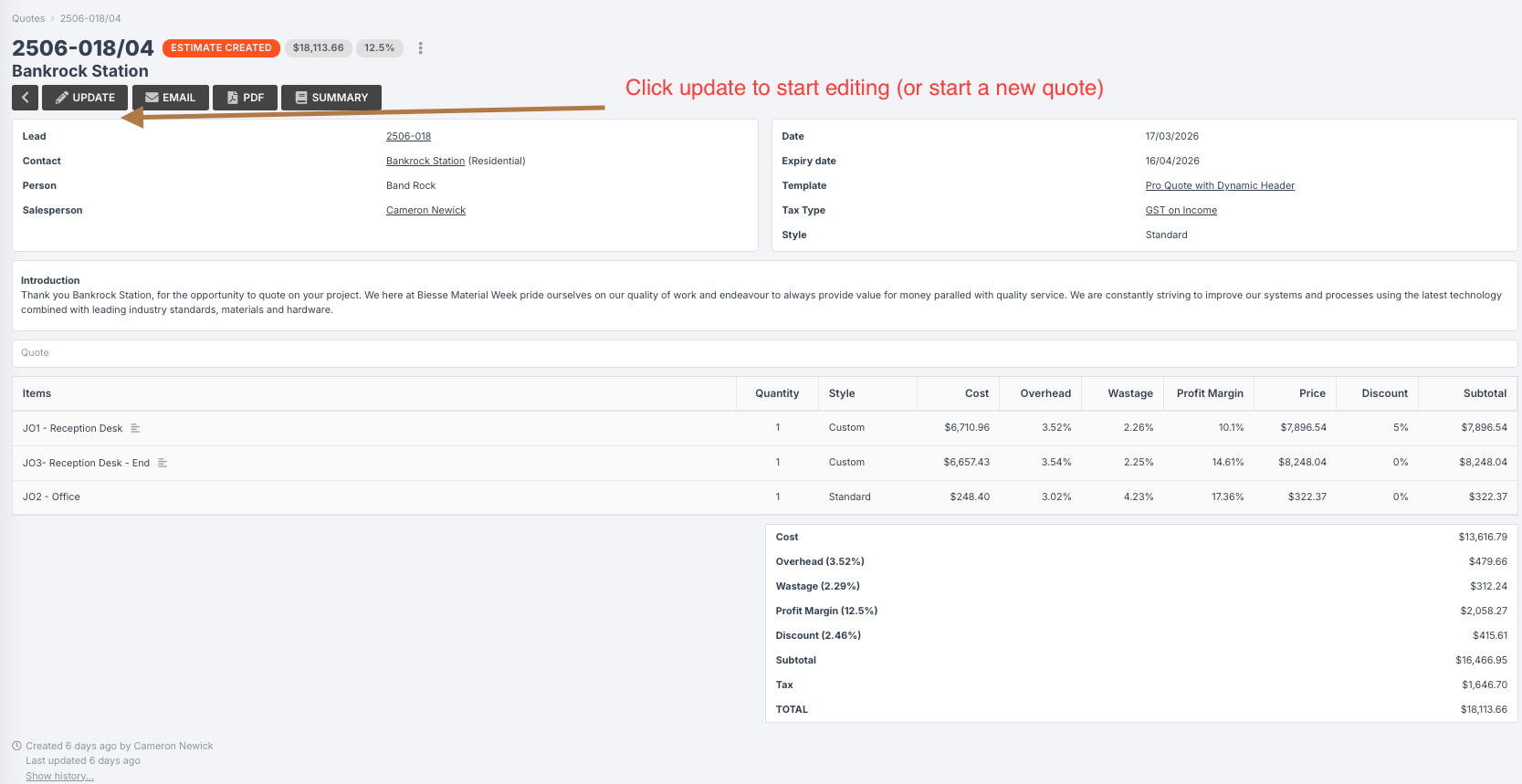
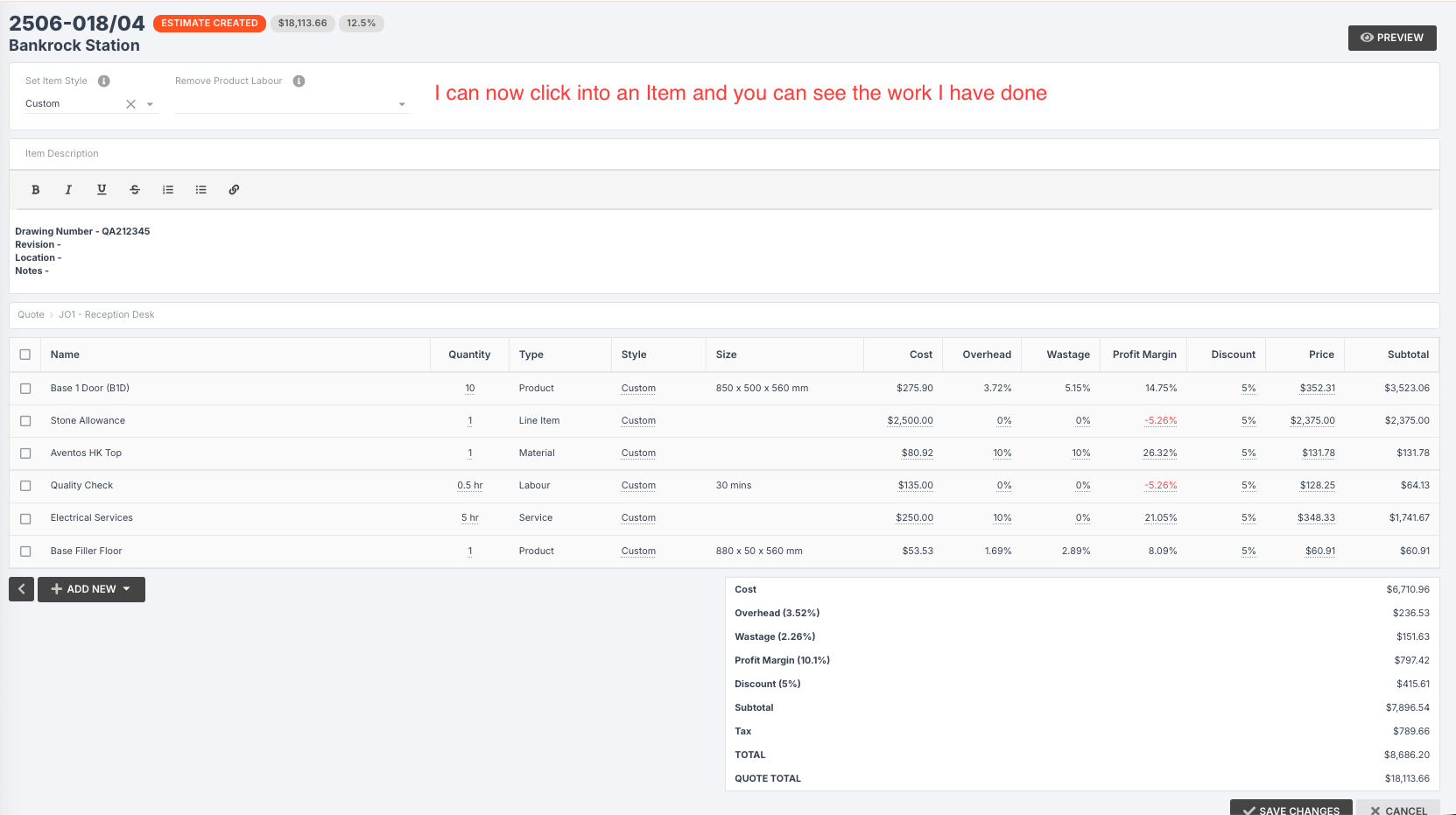
You have a quote, and you create an item, "Kitchen." You then click into the Kitchen and add some products, materials, labour, etc. You don't have to click 'Save Changes' to return to the main area - if you do, you'll have to click Update at the top of the quote before you can make any more changes.
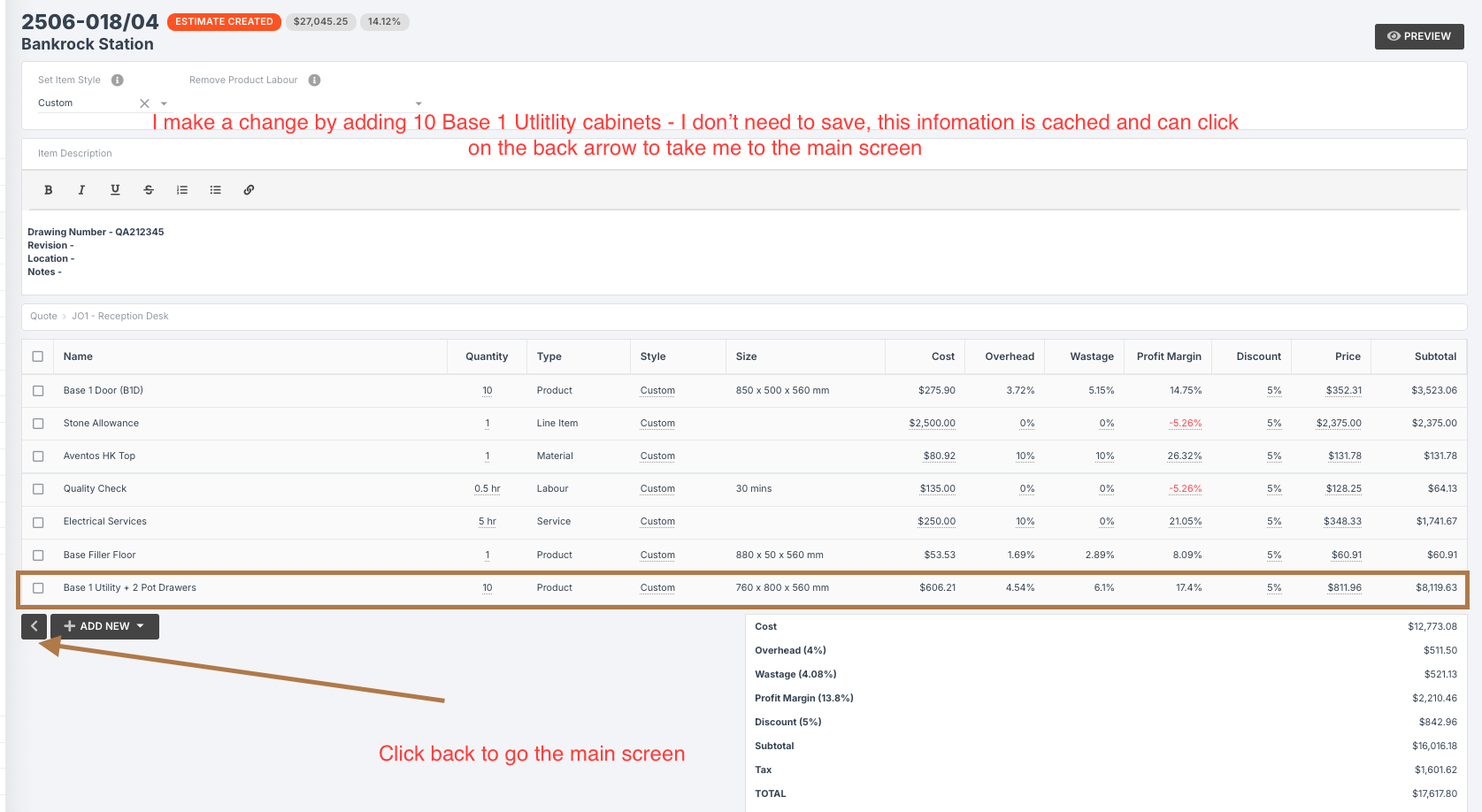
Instead, you can simply click the back arrow, and the changes you made in the Kitchen are live and still there. You can then add another item, "Bathroom," and go into it to add more products, materials, etc.
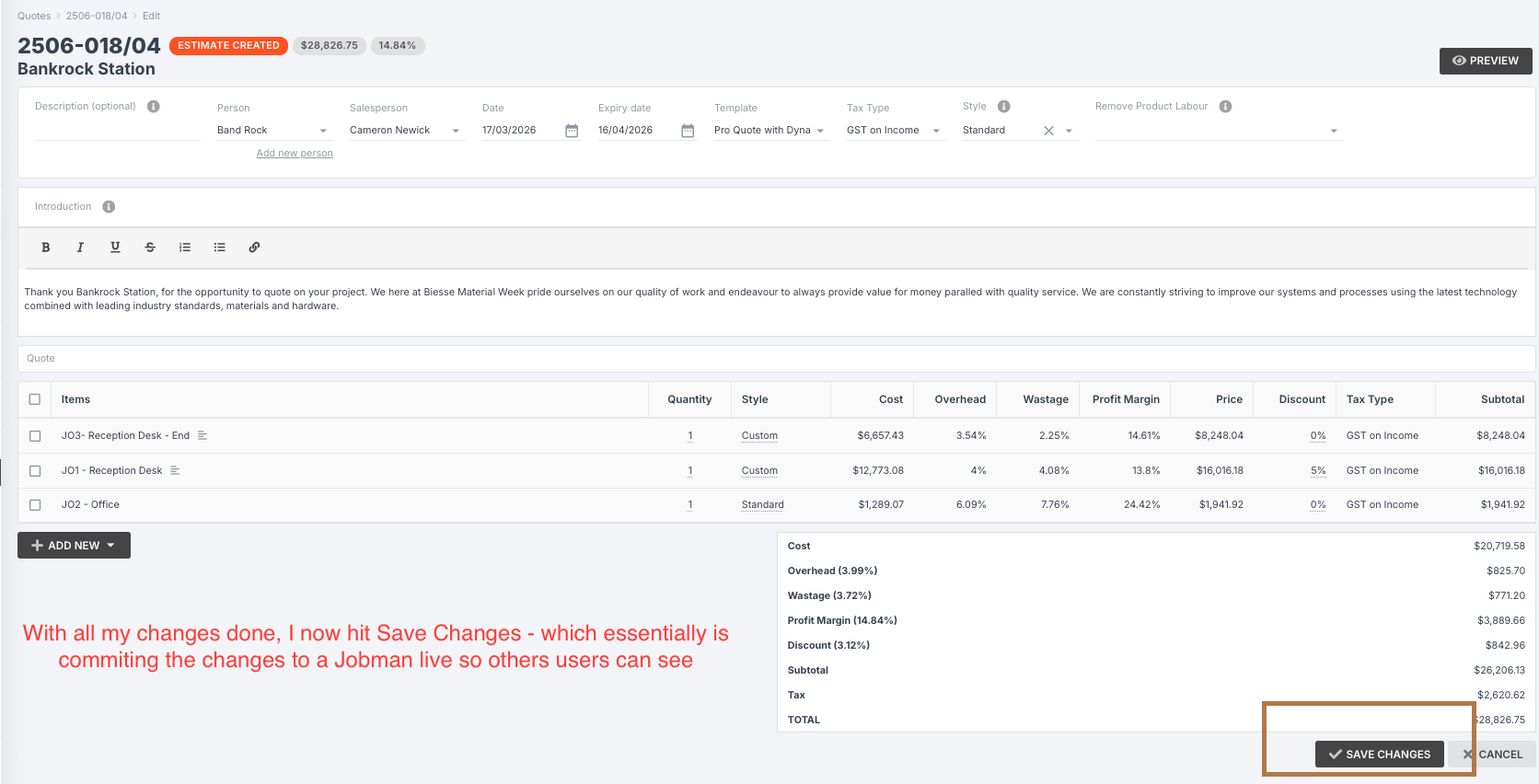
Once you have finished your quote - or the current changes you want to make to your quote - you can click Save Changes and all your work will be saved at once. (This is also why you will repeatedly see a calculating circle icon at the top of your screen, letting you know that Jobman is calculating and saving changes continuously without you having to hit save).
My Quotes Are Too Slow When Loading
The flip side of cached quoting is this: Jobman's quoting module is very powerful. It has four layers (sections, items, products, components) and a lot of complex capability. This makes it quite 'heavy', and a lot of user setups are not optimised for the level of computing power needed.
Your software speed is heavily dependent on the quality of your internet connection, and the age of your device. If you can, make sure your device and browser are fully updated, and if you have access to a higher-quality internet connection (such as an Ethernet cable), you will want to use this when quoting.
Additionally, your browser memory is being used constantly by lots of different programs that you may have open - Jobman, but also emails, spreadsheets, Google, etc. You can hover your mouse over a browser tab to see how much memory that tab is currently using. For example, you may have your emails open all day, and your tab may be using upwards of 750mb of memory - even if you aren't interacting with it. This is inflated even more by programs that have AI embedded in them.
To free up your computer's memory as much as possible to help Jobman, you should close any tabs you aren't using, then perform a hard refresh on your browser to reset the memory usage. On Windows, the command is Shift + F5. For most Mac browsers (not including Safari) the command is Command + Shift + R.
Finally, as explained earlier, Jobman - like all modern browser-based software - relies heavily on caching information as you go. What can happen when you work on a quote for a long time is that more and more information is cached (which uses up your memory), but the cache isn't cleared until you save changes in the quote. So, if you are finding your quotes are loading and saving slowly, you can try saving changes more often (every 5-15 minutes) and see if that improves your memory usage and speed.